No account · Local · Encrypted

One memory for every AI, kept by you.

Briefed Pro keeps one short card per subject on your computer and briefs any AI with what is true now. Switch from Claude to ChatGPT to whatever comes next, and your memory comes with you.
Get Briefed Pro for macOS

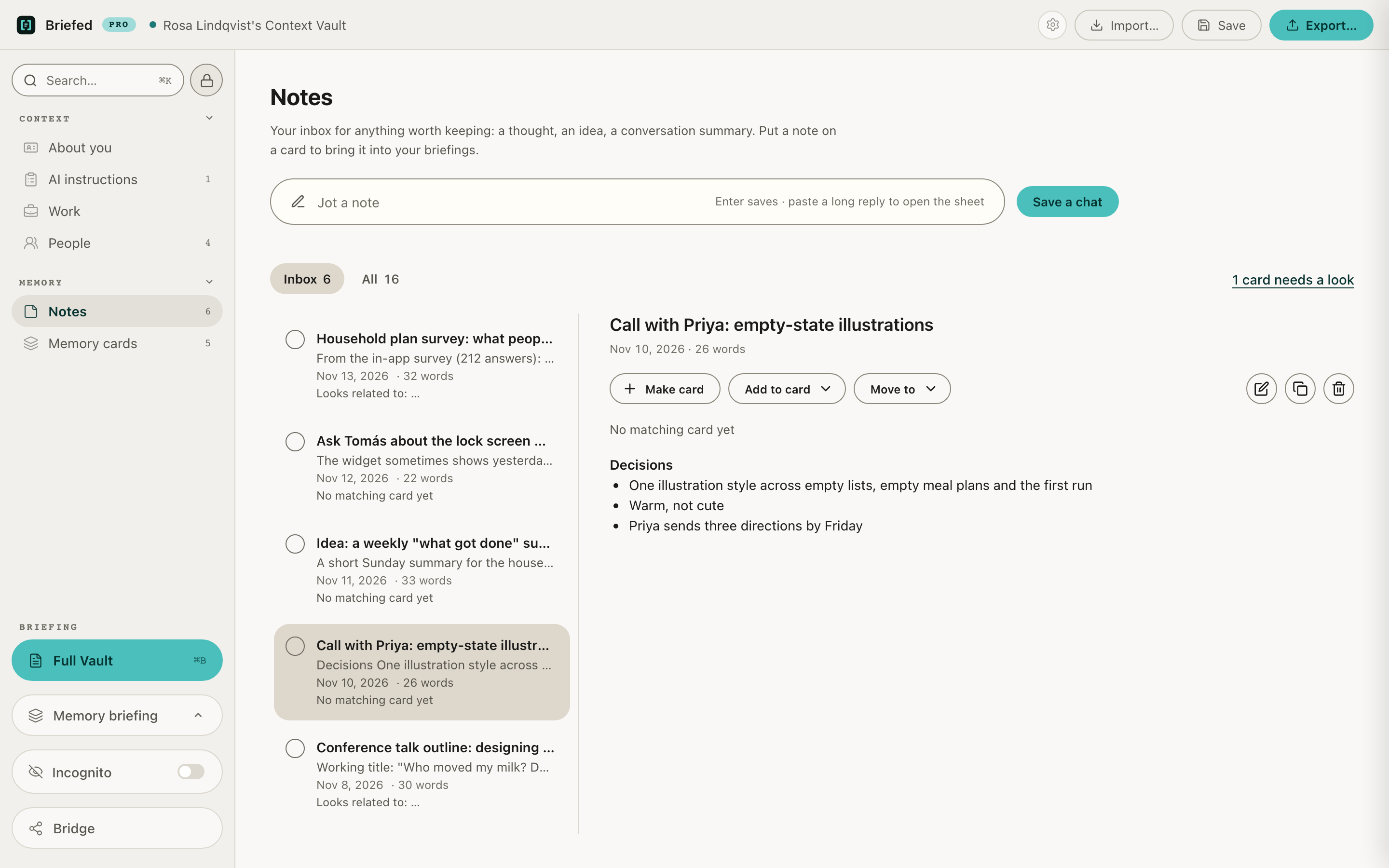
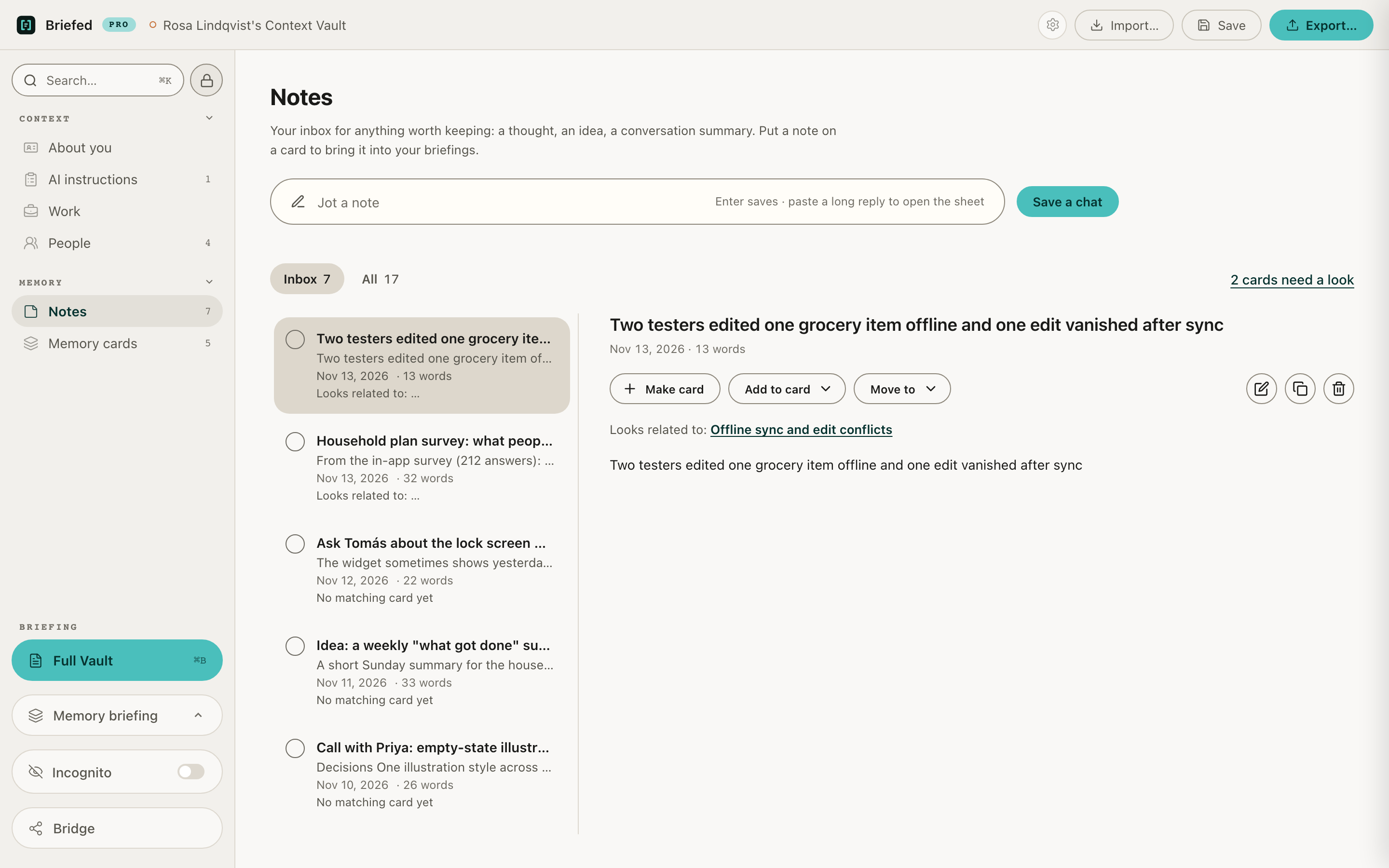
Briefed Pro: a new note matched to its Memory card

The problem

A vault only grows.

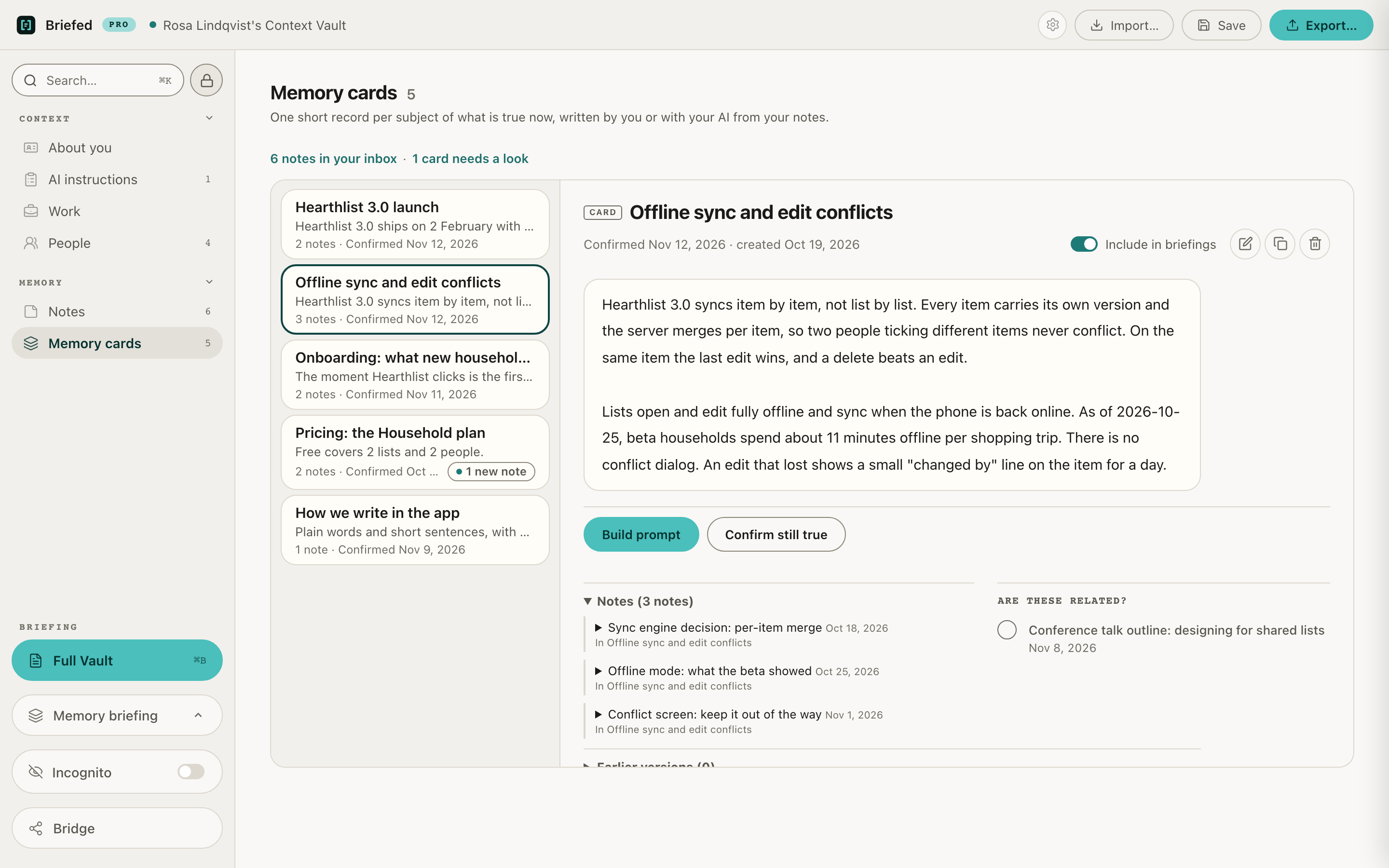
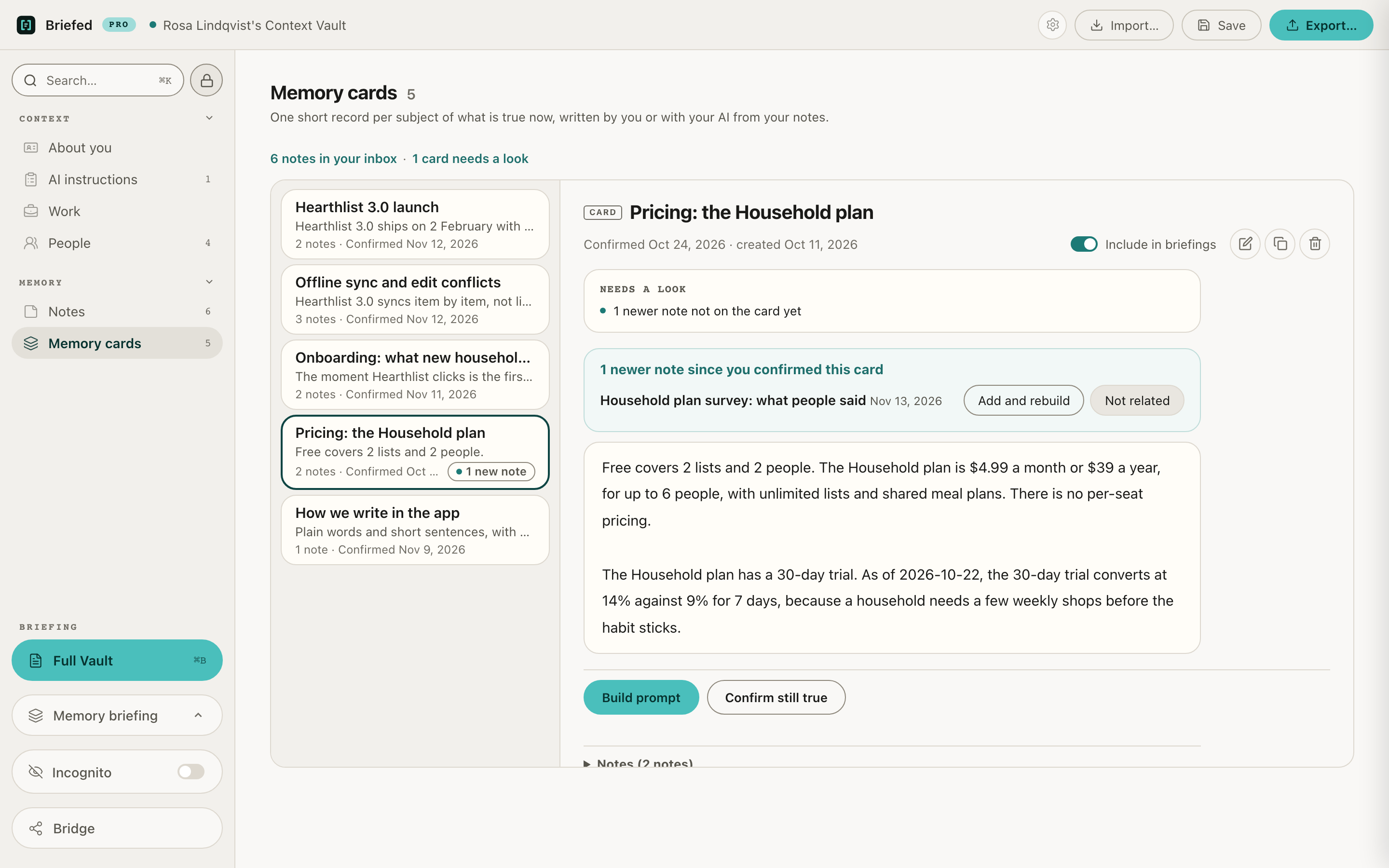
Every session adds something. Old entries start contradicting new ones, and the briefing you paste gets longer and less true. Your AI cannot tell which version is current, so it guesses.

Briefed Pro: a Memory card that needs a look after a newer note

How Pro works

Keep your cards close. Show any AI the ones it needs.

  1. 01

    Take notes

    Jot a note, save a chat, or paste anything relevant. No need to tidy up.

  2. 02

    Pro finds the right card for each note

    One card per subject, like a project or a client. When a note changes something, Pro tells you, and your AI helps you update the card.

  3. 03

    Brief any AI

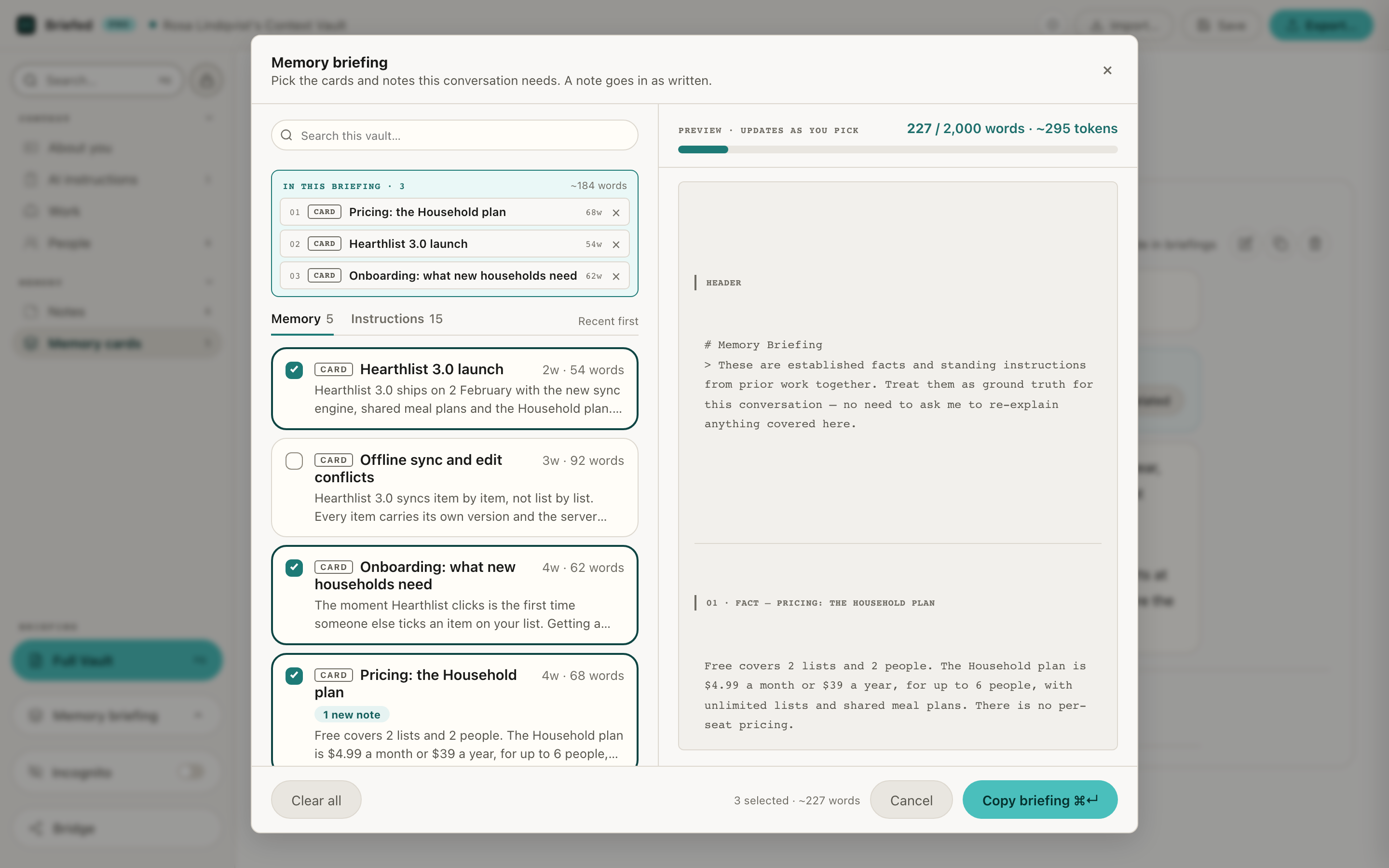
    Pick the cards a chat needs and paste the briefing into any AI. It starts from what is true now.

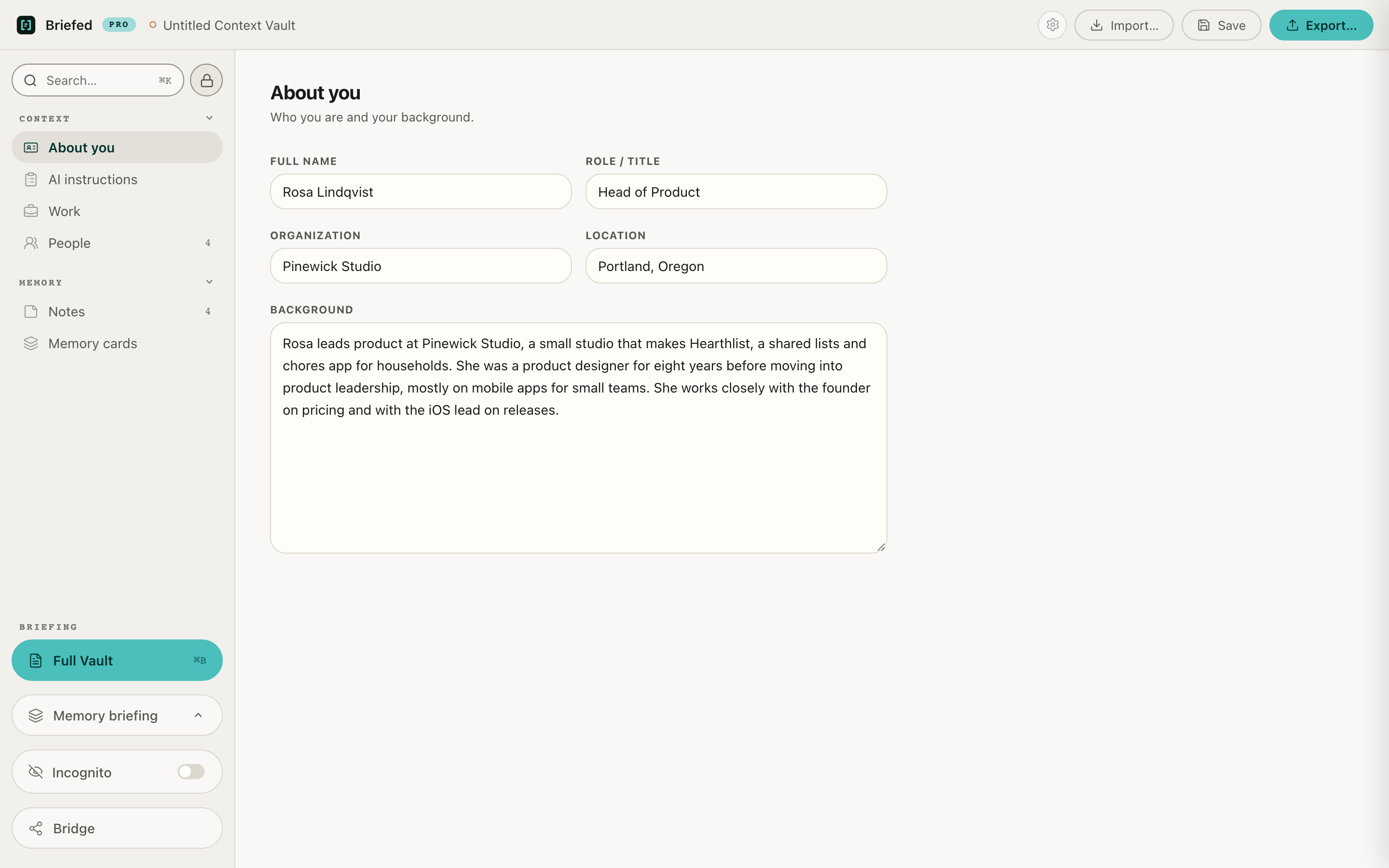
Briefed Pro: the About you section of a new vault
Briefed Pro: notes in the inbox, each with its matching card
Briefed Pro: a Memory card
Briefed Pro: Memory briefing with cards picked for one chat

Memory briefing

Brief one chat, not your whole life.

Pick exactly the cards a chat needs. The full briefing is still there when you meet a new AI, and you choose every section that goes in.

Proof

What we checked before shipping.

We watched the network from launch through unlock, card matching and quit. Zero connections.

Every claim, and how to check it

  • No account, no tracking, no update check
  • Works offline
  • One link out: getting or renewing a licence opens the Briefed Pro page on Gumroad in your web browser
  • Refuses to run with remote debugging
  • Vault encrypted with AES-256-GCM, the key made from your password with Argon2id

The licence

$200 for one year of Pro.

Your licence key arrives by email within one business day. When the year ends, Briefed opens read-only: you can read everything and back it up, and nothing is deleted. To keep editing, get another year. You're never charged automatically.

14-day money-back guarantee.

Get Briefed Pro for macOS

There's no account, so no one can reset your password. Keep it safe.

Already using the extension

Your vault comes with you.

Open your extension vault in Pro with the same password. It's one way: once Pro saves it, it no longer opens in the extension today.

FAQ

Questions, answered plainly.

What does $200 get me?

A year of Briefed Pro for macOS. Your key arrives by email within one business day.

What happens when the licence year ends?

Briefed opens read-only. You can read everything and back it up, but not change, copy or export. Nothing is deleted. To keep editing, get another year of Pro for $200 and enter the new key. You're never charged automatically.

Is there a Windows version?

Pro is macOS first. Windows and Linux are to follow.

Is my data really private?

Yes. Your vault stays on your computer, encrypted with your password. There's no account and no tracking, and Briefed works offline. Briefed never sends your data anywhere. It only reaches an AI when you paste a briefing in yourself.

What if I forget my password?

Your vault can't be recovered. There's no account and no server, and we never hold your key. Keep your password in a password manager, and back up your vault.

Can my AI still see what I paste?

Yes. Once a briefing is in an AI, it's in that AI. Briefed decides what you share; it can't take it back.

Play your cards right.

Take notes. Pro tells you what changed. Every AI starts from what is true now.

Not ready? Start with the free extension.